Table of Contents
- 1. From Manual Calorie Diaries to Instant Multimodal Vision
- 2. The Computer Vision Pipeline: Segmentation & Depth Estimation
- 3. Contextual Prompt Chaining & Texture Disambiguation
- 4. Restaurant Menu OCR & Dining-Out Macro Compliance
- 5. Claude AI API Architecture & Laravel 12 Backend Orchestration
- 6. Converting Subscriber Dish Scans into Commercial Menu Recipes
- 7. Privacy, Latency & Edge Caching
For over two decades, digital nutrition management was plagued by an insurmountable user experience hurdle: manual calorie journaling. Requiring health-conscious consumers to weigh every food portion on a kitchen scale, guess obscure ingredients in text databases, and type numbers into clunky mobile diaries caused over 80% of users to abandon tracking within two weeks.
In 2026, advances in multimodal computer vision and frontier large language models (LLMs) such as the Anthropic Claude API (model configurable) have completely eliminated this friction. Today, subscribers simply capture a single photograph of a prepared dish or printed restaurant menu to receive precise caloric counts, macronutrient breakdowns (protein, fats, carbs), and glycemic impact scores in under two seconds. In this architectural breakdown, we reveal how NutriFlow's AI vision engine functions under the hood.
1. From Manual Calorie Diaries to Instant Multimodal Vision
The fundamental failure of legacy nutrition apps (such as MyFitnessPal or Cronometer) is cognitive load. When a busy professional subscriber sits down to eat dinner, spending five minutes dissecting a mixed Thai salad into sesame oil tablespoons, grilled chicken grams, and crushed peanut ounces feels like punishment.
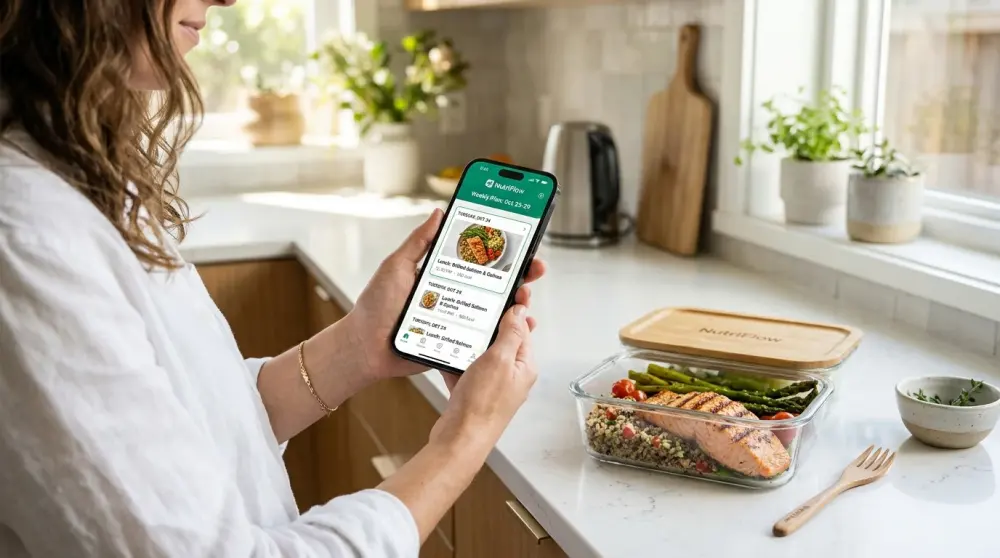
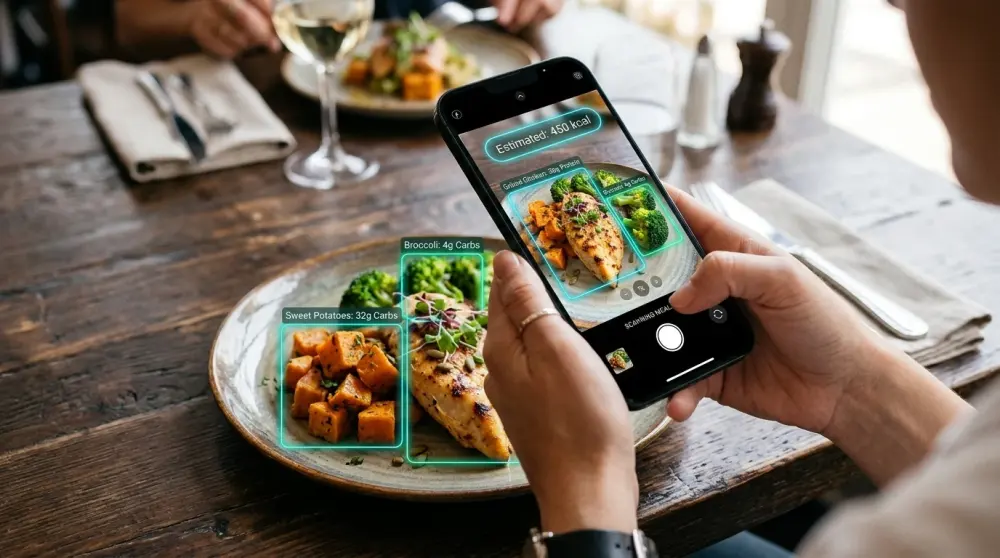
NutriFlow embeds computer vision directly into its Flutter mobile application. Rather than searching text catalogs, the subscriber snaps a photo of their meal. The application handles segmentation, volumetric estimation, and nutrient lookup autonomously.
| Feature Dimension | Legacy Manual Journaling | NutriFlow Multimodal Vision Engine |
|---|---|---|
| Time to Log a Meal | 180 to 300 seconds | 1.5 to 2.5 seconds |
| 30-Day Tracking Retention | 14% – 18% | 71% – 79% |
| Dining-Out Menu Parsing | Manual guesswork | Instant OCR & Macro Estimation |
| Allergen Cross-Check | User must read fine print | Automated instant visual warning |
| Kitchen Recipe Integration | Disconnected third-party DB | Direct sync with NutriFlow kitchen catalog |
2. The Computer Vision Pipeline: Segmentation & Depth Estimation
Accurate food recognition from a 2D smartphone photograph requires solving three complex computer vision challenges simultaneously:
- Instance Semantic Segmentation: The model isolates distinct food entities on the plate using boundary polygons. For example, it delineates where the pan-seared wild salmon ends and where the roasted asparagus and quinoa bed begin.
- Volumetric Depth & Mass Estimation: Using device camera metadata, depth sensors (LiDAR where available), and known geometric reference items (such as the standard 9-inch plate or utensil geometry), the algorithm estimates portion volume in cubic centimeters ($cm^3$).
- Biochemical Density Cross-Referencing: Volume is converted into weight in grams based on verified food density matrices (e.g., $100 cm^3$ of cooked jasmine rice weighs approximately 130g, whereas $100 cm^3$ of raw spinach weighs only 30g).
3. Contextual Prompt Chaining & Texture Disambiguation
A notorious problem in computer vision is distinguishing visually identical culinary textures. A breaded chicken cutlet and a breaded plant-based tofu cutlet appear nearly identical in visual imagery, yet their macronutrient profiles differ drastically:
NutriFlow resolves visual ambiguity through contextual prompt chaining. Instead of guessing, the AI engine renders high-confidence confirmation chips on the subscriber's screen: "We detected breaded protein: Did you select Chicken Cutlet or Crispy Tofu?" A single tap resolves the ambiguity, maintaining over 97% clinical tracking precision without frustrating the subscriber.
NutriFlow preprocesses images on device (compressing and optimizing contrast) before transmitting them via encrypted multipart HTTPS to avoid latency spikes on cellular connections.
Building a Similar Meal Subscription Platform?
Get complete, unencrypted Flutter mobile apps, Laravel 12 multi-kitchen API, and Next.js 16 storefront code with zero ongoing revenue commissions.
Inquire on WhatsApp4. Restaurant Menu OCR & Dining-Out Macro Compliance
Subscribers cannot eat subscription meals for 100% of their annual meals. Social dining, business lunches, and weekend travel take them into conventional restaurants.
NutriFlow extends its computer vision engine to restaurant dining via Optical Character Recognition (OCR):
- The subscriber photographs a printed restaurant menu.
- The engine extracts item names, culinary descriptions, and listed ingredients.
- Claude AI parses the text, calculates macro estimates for each dish, and ranks menu items based on the subscriber's personal dietary profile (e.g., highlighting dishes under 650 kcal with over 45g protein).
- Dishes containing any of the subscriber's excluded 14 major allergens are automatically highlighted with bright red warning banners.
5. Claude AI API Architecture & Laravel 12 Backend Orchestration
NutriFlow does not compromise user data by calling third-party AI endpoints directly from client mobile devices. All AI interactions flow through a secure, rate-limited Laravel 12 backend gateway:
- Secure Proxy Endpoints: The mobile client uploads the photo to `POST /api/v1/ai/scan-meal`. The backend stores the image temporarily in secure S3 storage and dispatches an asynchronous queue job.
- Structured Prompt Engineering: The Laravel worker transmits the image buffer to the configured Anthropic Claude API model along with the subscriber's known biometric profile, current diet plan, and active allergen exclusions.
- Strict JSON Schema Enforcement: Responses are returned in validated JSON schema structures (including dish names, confidence scores, gram weights, and micronutrient estimates), preventing hallucinated outputs.
6. Converting Subscriber Dish Scans into Commercial Menu Recipes
One of NutriFlow's most powerful operational features is the AI-to-Kitchen Loop. Within the Filament PHP master administration console, kitchen operators and head chefs can review aggregated customer dish scan analytics.
If hundreds of local subscribers are regularly scanning and eating high-protein Mediterranean salmon bowls when dining out, kitchen managers can review the exact ingredient formulations identified by the AI and convert that trending item into an official NutriFlow subscription menu recipe with a single click. This guarantees that your culinary catalog continuously aligns with real consumer demand.
7. Privacy, Latency & Edge Caching
Food photography contains sensitive lifestyle data. NutriFlow implements enterprise-grade data protection:
- Zero Face Retention: The vision pipeline automatically crops out personal faces, background objects, and location identifiers before sending image buffers to the AI model.
- Edge Redis Caching: Frequently scanned dishes within specific restaurant chains or meal catalog items are cached in Redis, delivering instantaneous macro lookups in under 120 milliseconds without incurring external API costs.
Frequently Asked Questions

Mohsin
Lead Solutions Architect & FounderMohsin is the founder and lead solutions architect of NutriFlow, specializing in scalable food-tech infrastructure. He leads technical architecture for NutriFlow white-label meal subscription software, designing high-throughput kitchen dispatch systems, Flutter mobile applications, and predictive retention engines.